Home / Lab walkthrough
Lab walkthrough on sample data
A worked case study in the demo environment: from one exposed instance to a remediation item and its documents. Everything on this page is sample data, not a customer.
Scope
The walkthrough uses the demo enterprise profile: a synthetic company with AWS, Azure and Google Cloud accounts, Microsoft 365 and Active Directory, VMware and several network device vendors.
- About 600 assets
- About 800 relationships between them
- About 130 findings
These are approximate sizes of the sample dataset. You can open the same data yourself in the demo.
Method and what you see
The workflow from the home page, with the finding added between the attack path and the business service. Each screen is a real screenshot of the demo tenant.
Discover the asset
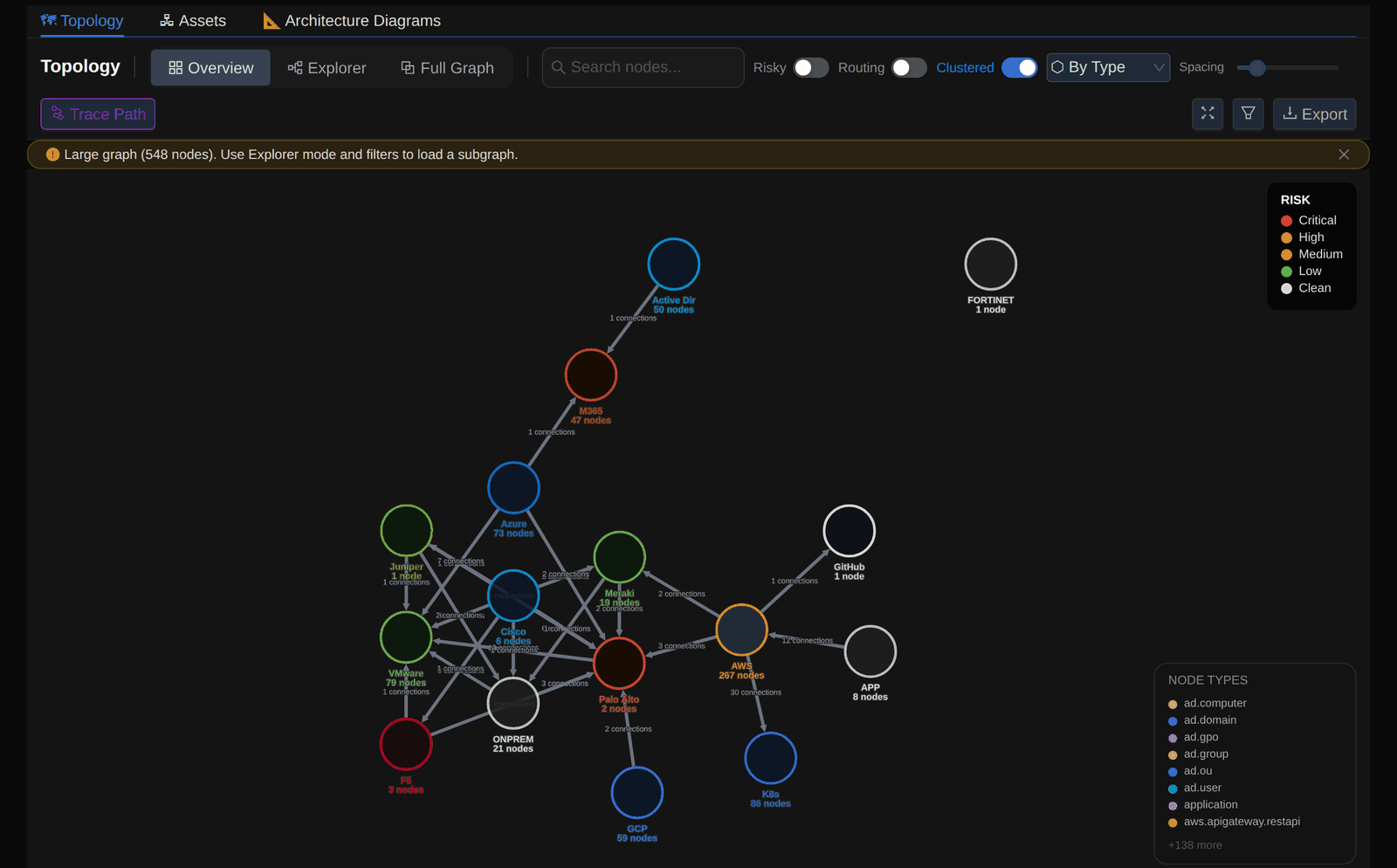
Open the topology in Explorer mode and select the internet-facing instance web-vulnerable-01. The details panel shows its type, region, tags and properties, such as an unencrypted root volume and a public IP address.
The asset, its properties and its connections in the topology.

web-vulnerable-01 selected. View full screenshotInvestigate the attack path
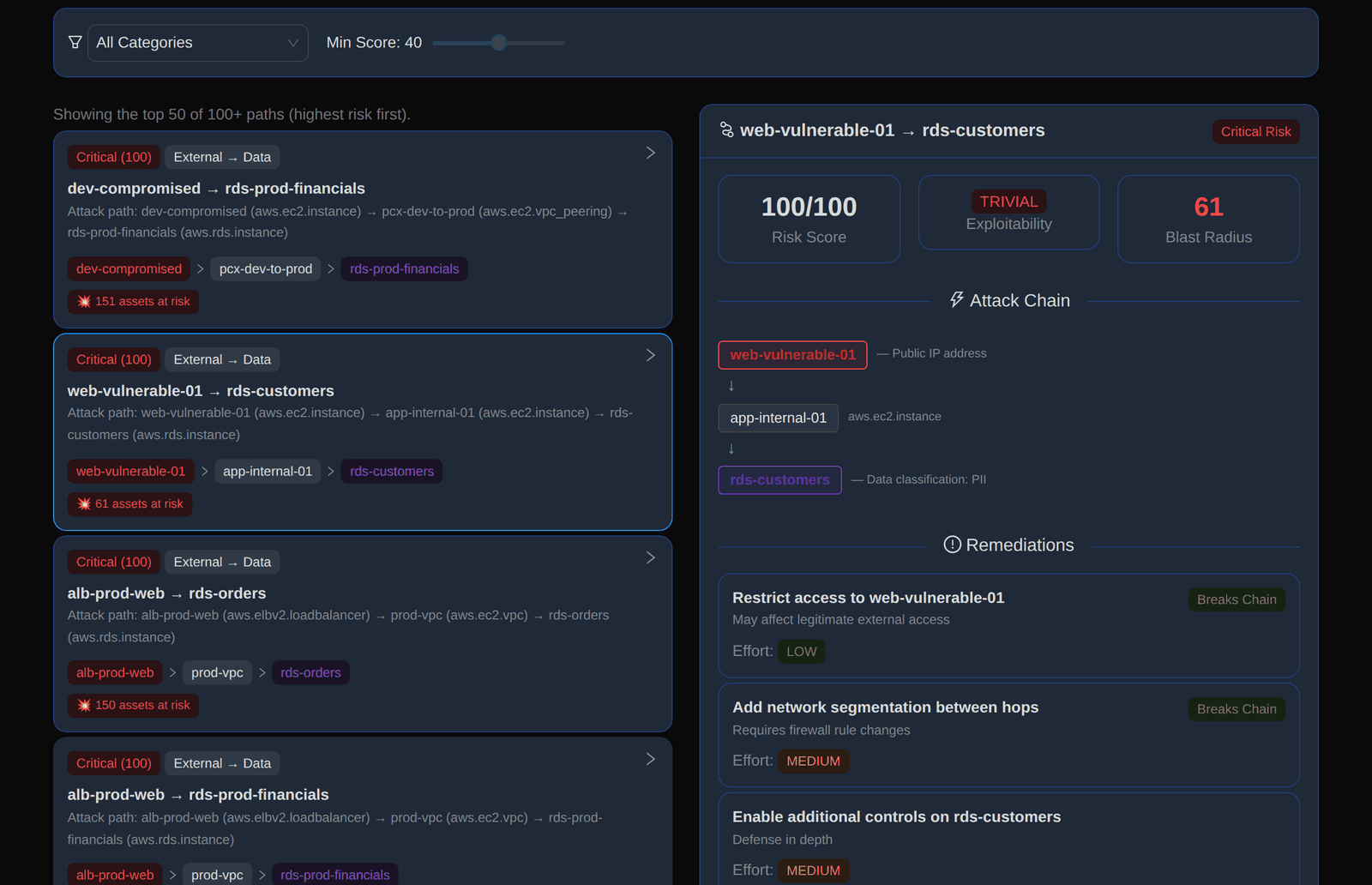
Open Attack Paths. The path web-vulnerable-01 → rds-customers is listed as critical, from an external entry point to a database whose data classification is PII. Attack paths account for network egress, gateways and security groups.
A risk score of 100/100, exploitability rated trivial, a blast radius of 61 assets and the remediation options that break the chain.
Read the finding and its fix
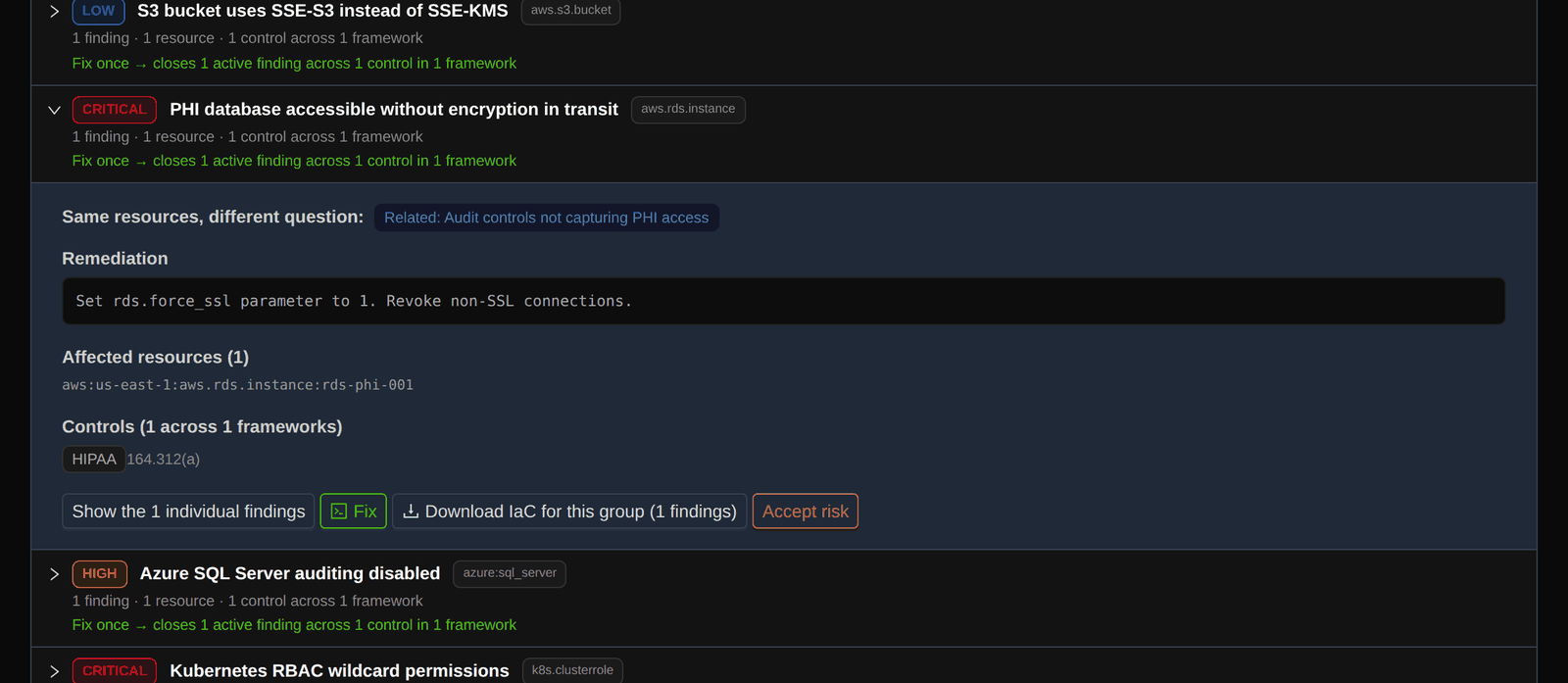
Findings are grouped by the fix that closes them. Open the critical finding “PHI database accessible without encryption in transit” to see the remediation, the affected resource and the framework control it maps to.
The remediation (rds.force_ssl set to 1), the affected resource rds-phi-001 and the HIPAA control 164.312(a).
Identify the affected business service
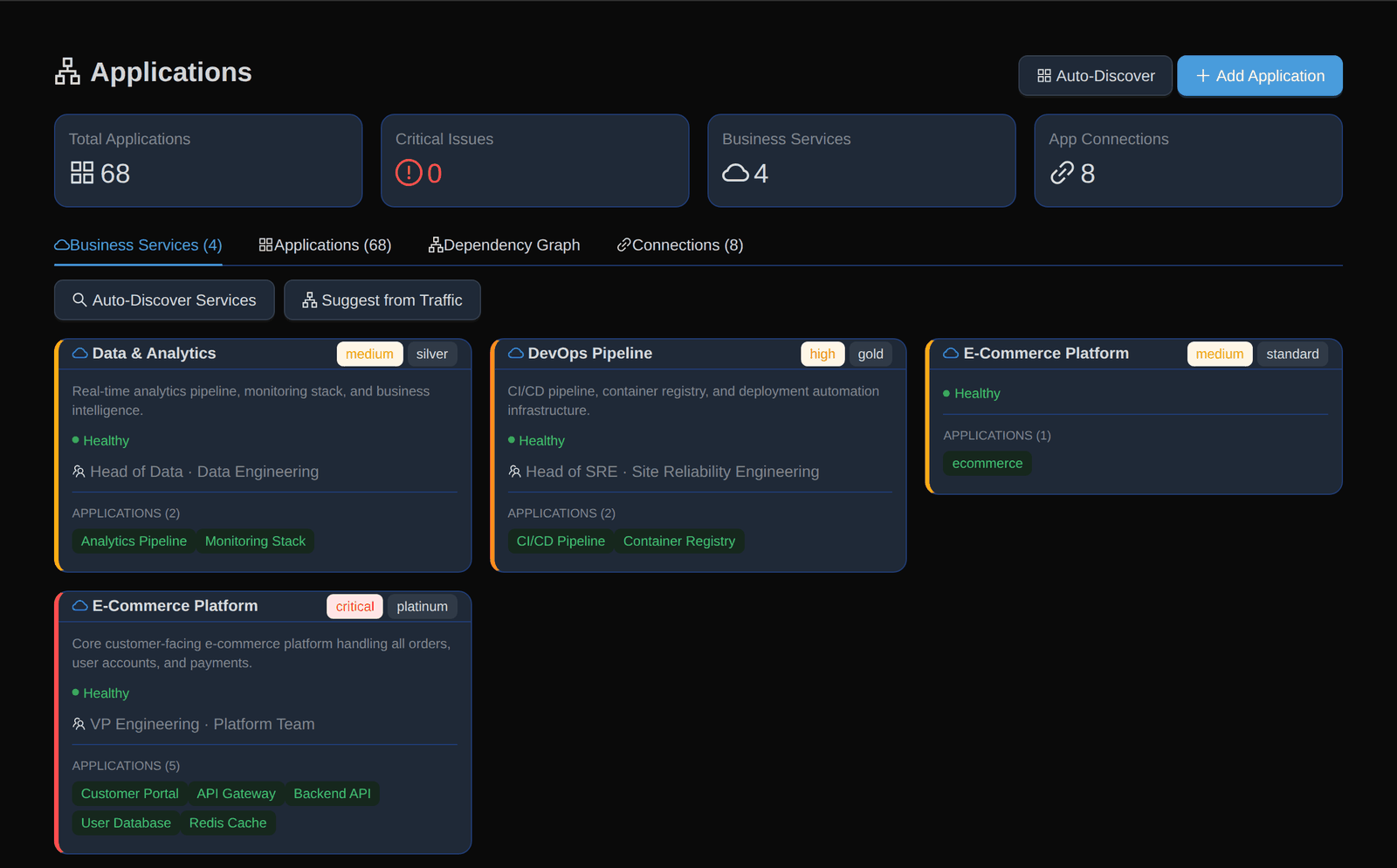
Infracast groups applications into Business Services. Each service has a criticality, an SLA tier, an owner and team, and its member applications, so the owner of the impact is known.
Four Business Services in the sample, for example E-Commerce Platform (critical, platinum) with five applications.
Track the remediation
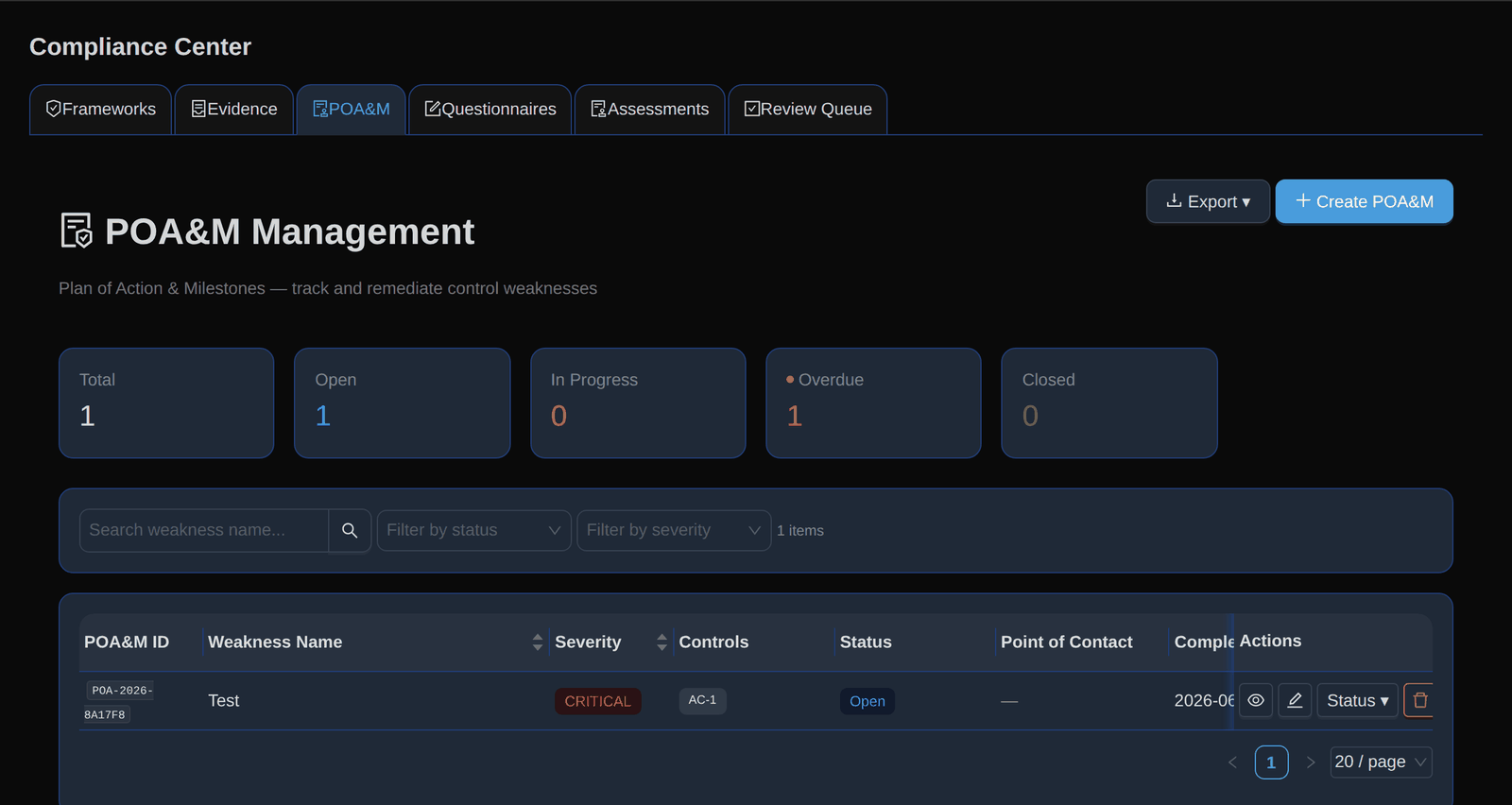
Track the fix in the POA&M (Plan of Action and Milestones): severity, mapped controls, status, point of contact and completion date. The demo is read-only, so this view shows the tracker with the single sample item it holds.
Counts for total, open, in-progress, overdue and closed items.
Generate the supporting documents
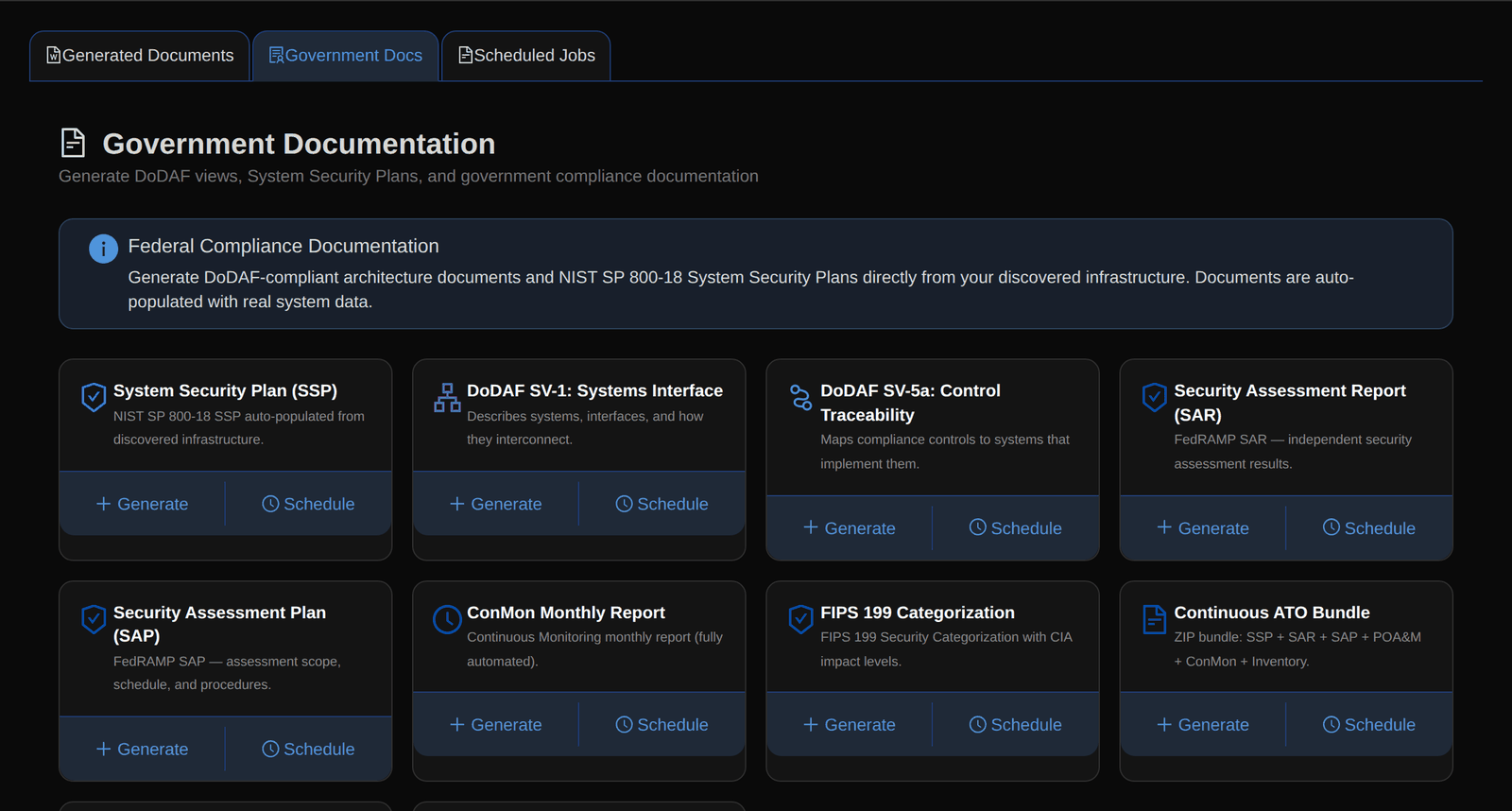
Generate documents from the discovered infrastructure, such as a System Security Plan, a security assessment report or a monthly monitoring report. A person reviews each draft before it is used.
Document types, each with Generate and Schedule actions.
Limits of this walkthrough
- Sample data. The environment is synthetic. These screens show how the product behaves, not results from a customer.
- Not a customer case. There are no customer outcomes, timings or savings claimed here.
- Route awareness is at egress level. Attack paths account for network egress, gateways and security groups. They do not model every hop of a real network.
- Drafts need review. Generated documents are drafts for people to check.
See it on your own questions
Look at the sample-data demo, run a 14-day trial, or ask for a technical walkthrough with an engineer.